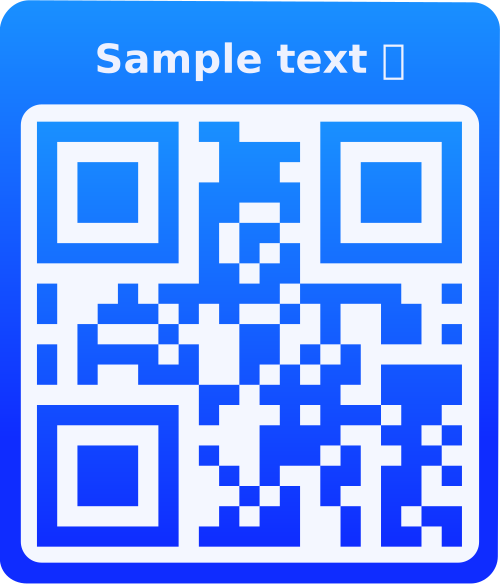
What is a URL QR Code?
A URL QR Code is a QR code that contains a web link (URL). When scanned, it automatically opens the website in the user's default browser. This is perfect for directing people to your website, landing pages, social media profiles, online stores, or any web-based content.
Why Use URL QR Codes?
Instant Website Access
Eliminate the need for users to manually type long URLs. One scan instantly opens your website on their device.
Track & Analyze
Monitor scan statistics, track visitor behavior, and analyze engagement metrics to optimize your marketing campaigns.
Mobile-Friendly
Perfect for mobile marketing - users can instantly access your content on their smartphones without typing.
Marketing Power
Bridge offline and online marketing. Use on print materials, business cards, posters, and physical products to drive online traffic.
How to Use URL QR Codes
- Enter Your URL: Paste or type the website URL you want to share. Make sure it includes the protocol (http:// or https://) for best compatibility.
- Customize Your QR Code: Choose colors, add your logo, select styles, and add frames to match your brand identity.
- Preview & Test: Use the preview to see your QR code in real-time. Test it with your phone to ensure it opens the correct URL.
- Download & Share: Download in SVG, PNG, JPG, or WEBP format. Print on marketing materials, add to emails, or display digitally.
Frequently Asked Questions
URL QR codes can handle URLs up to 4,296 characters. However, shorter URLs create simpler, more scannable QR codes. For best results, keep URLs under 100 characters when possible.
Yes, URL QR codes require an internet connection to open the website. The QR code itself can be scanned offline, but the user needs internet access to view the webpage.
Yes! If you're logged in and save your QR code, you can track scan statistics including total scans, unique scans, location data, device types, and scan timestamps.
Yes! If you're logged in, you can edit your saved QR codes and update the URL. The QR code image will be regenerated with the new URL, but you'll need to replace the old QR code with the new one.
Static URL QR codes contain the URL directly in the code - if you change the URL, you need a new QR code. Dynamic URL QR codes (available for logged-in users) use a redirect URL, allowing you to change the destination without regenerating the QR code.
Absolutely! URL QR codes are perfect for linking to social media profiles (Facebook, Instagram, Twitter, LinkedIn, etc.), YouTube channels, TikTok profiles, or any social platform. Just paste the profile URL.
If you use a static QR code, you'll need to create a new one with the new URL. However, if you use a dynamic QR code (logged-in users), you can simply update the destination URL in your dashboard without changing the QR code.
The QR code itself doesn't have password protection, but you can link to a password-protected page on your website. For advanced features like password protection, expiration dates, or scan limits, consider upgrading to a premium plan with dynamic QR code features.
For best scanning results, QR codes should be at least 2cm x 2cm (0.8" x 0.8") when printed. For larger distances, increase the size proportionally. Download in SVG or high-resolution PNG for crisp printing.
Yes! URL QR codes are excellent for e-commerce. Use them to link to product pages, promotional offers, checkout pages, customer reviews, or your online store homepage. They're perfect for bridging offline marketing with online sales.