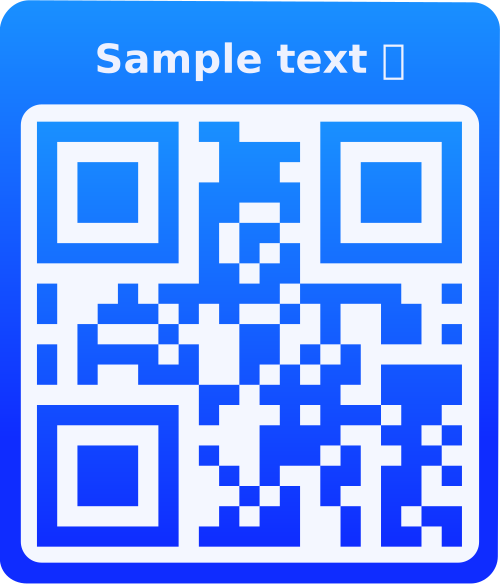
What is a Text QR Code?
A Text QR Code is a versatile QR code that can store any plain text information. When scanned, it displays the text directly on the user's device without requiring an internet connection. This makes it perfect for sharing messages, notes, instructions, quotes, contact information, or any text-based content.
Why Use Text QR Codes?
No Internet Required
Text QR codes work offline - perfect for areas with poor connectivity or when you want to share information without relying on the internet.
Instant Access
Users can instantly view the text content by simply scanning the QR code - no apps or downloads needed.
Privacy & Security
Share sensitive information securely. The text is encoded in the QR code itself, not stored on external servers.
Fully Customizable
Customize colors, add logos, frames, and styles to match your brand or design preferences.
How to Use Text QR Codes
- Enter Your Text: Type or paste any text content you want to encode (up to 2,953 characters). This can include messages, notes, instructions, quotes, or any text-based information.
- Customize Your QR Code:
- Choose a style (square, rounded, dot, etc.)
- Select colors for foreground and background
- Add your logo or branding
- Add frames and text labels
- Adjust size and error correction level
- Preview & Download: See your QR code in real-time as you make changes. Once satisfied, download it in SVG, PNG, JPG, or WEBP format.
- Share & Use: Print your QR code on business cards, flyers, posters, packaging, or display it digitally. Anyone can scan it with their smartphone camera to instantly view the text.
Frequently Asked Questions
Text QR codes can store up to 2,953 characters. However, the more characters you include, the denser the QR code becomes. For best scanning results, we recommend keeping text under 500 characters.
No! Text QR codes work completely offline. The text is encoded directly in the QR code, so scanning it doesn't require any internet connection. This makes them perfect for use in areas with poor connectivity or when you want to share information without relying on the internet.
Text QR codes are incredibly versatile! Use them for: sharing contact information, displaying messages or quotes, providing instructions or directions, storing Wi-Fi passwords, sharing notes or reminders, displaying product information, creating offline content, sharing event details, storing backup information, and much more.
Yes! If you're logged in, you can save your QR codes and edit them anytime. Simply go to your QR codes dashboard, find the text QR code you want to modify, and update the text or design. The QR code will be regenerated with your new content.
You can download your Text QR code in multiple formats: SVG (scalable vector format, perfect for printing), PNG (raster image with transparency), JPG (compressed image format), and WEBP (modern web format with smaller file sizes). Choose the format that best suits your needs.
Absolutely! You can add your logo, customize colors to match your brand, add frames with text, and style your QR code to reflect your brand identity. This helps with brand recognition and makes your QR codes more visually appealing.
Yes! Your text is encoded directly into the QR code image. If you're a guest user, the text is processed locally and not stored on our servers. For logged-in users, your QR codes are stored securely in your account. The text content is only accessible to those who scan the QR code.
Error correction levels (L, M, Q, H) determine how much of the QR code can be damaged or obscured while still being scannable. L (Low) allows ~7% damage, M (Medium) ~15%, Q (Quartile) ~25%, and H (High) ~30%. For text QR codes, we recommend M or Q for a good balance between scannability and code density.
Yes! If you're logged in, you can use the bulk creation feature. Simply check the "Bulk" option, enter multiple lines of text (one per line), and the system will generate a separate QR code for each line. This is perfect for creating multiple QR codes quickly.
Text QR Codes store plain text that displays directly when scanned - no internet needed. URL QR Codes contain a web link that opens a website when scanned (requires internet). Use Text QR codes for offline content, messages, or information that doesn't need a website. Use URL QR codes when you want to direct users to a webpage, landing page, or online resource.